

@kite-01/js
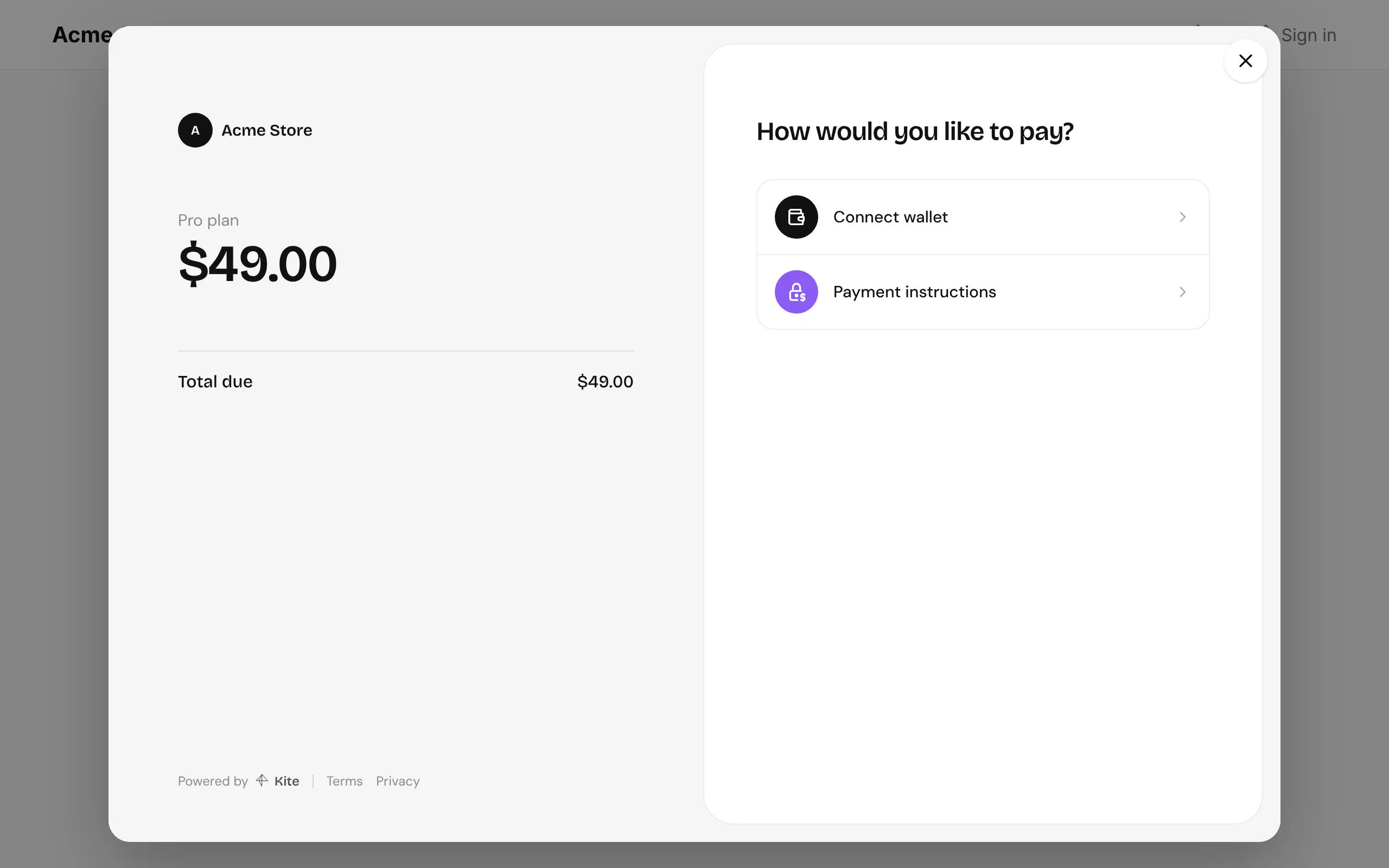
@kite-01/js opens a payment link’s checkout in a pop-up over your site, so customers pay without leaving it, and tells your page how it went. It has no dependencies and weighs about 1 KB gzipped.
Installing
Section titled “Installing”npm install @kite-01/jspnpm add @kite-01/js<script src="https://unpkg.com/@kite-01/js"></script><!-- exposes window.Kite.openCheckout -->Opening checkout
Section titled “Opening checkout”Get a payment link’s ID from your backend, which creates it with @kite-01/sdk, then open it:
import { openCheckout } from "@kite-01/js";
const { paymentLinkId } = await fetch("/api/orders", { method: "POST" }).then(  (response) => response.json(),);
const checkout = openCheckout({  baseUrl: "https://pay.example.com",  paymentLinkId,  onSuccess: ({ transferId }) => showThankYou(),  onClose: () => console.log("checkout closed"),});
const result = await checkout.result;
result settles when checkout closes, with how it ended:
type CheckoutResult = | { status: "success"; transferId: string } | { status: "failed"; reason: string; transferId?: string } | { status: "closed" };A link made in the dashboard works the same way: pass its ID, no backend needed.
Options
Section titled “Options”| Option | Called with | When |
|---|---|---|
baseUrl |
Where your Kite server runs. Required. | |
paymentLinkId |
The link to pay. Required. | |
onReady |
Checkout has loaded. | |
onStatus |
{ transferId, status } |
A transfer opened or changed status. |
onSuccess |
{ transferId } |
The payment settled. |
onFailed |
{ reason, transferId? } |
It failed, was refunded, expired, or the link wasn’t found. |
onClose |
Checkout closed, by the customer or by checkout.close(). |
openCheckout returns { result, close }. Opening another checkout closes the first. Escape closes it too.
How it works
Section titled “How it works”The pop-up is the checkout page at /pay/<id>?embed=1 on your Kite server, in an iframe. In that mode the page shows a close button and posts messages to your page; @kite-01/js only accepts them from your server’s origin and its own frame.
If you’d rather build your own wrapper, the page posts { source: "kite", type, ... } messages with these types: ready, status (transferId, status), success (transferId), failed (reason, transferId?) and close.
Without the pop-up
Section titled “Without the pop-up”Link or redirect customers to https://pay.example.com/pay/<payment link id> instead. It’s the same checkout, full page.